 Image 1 of 1
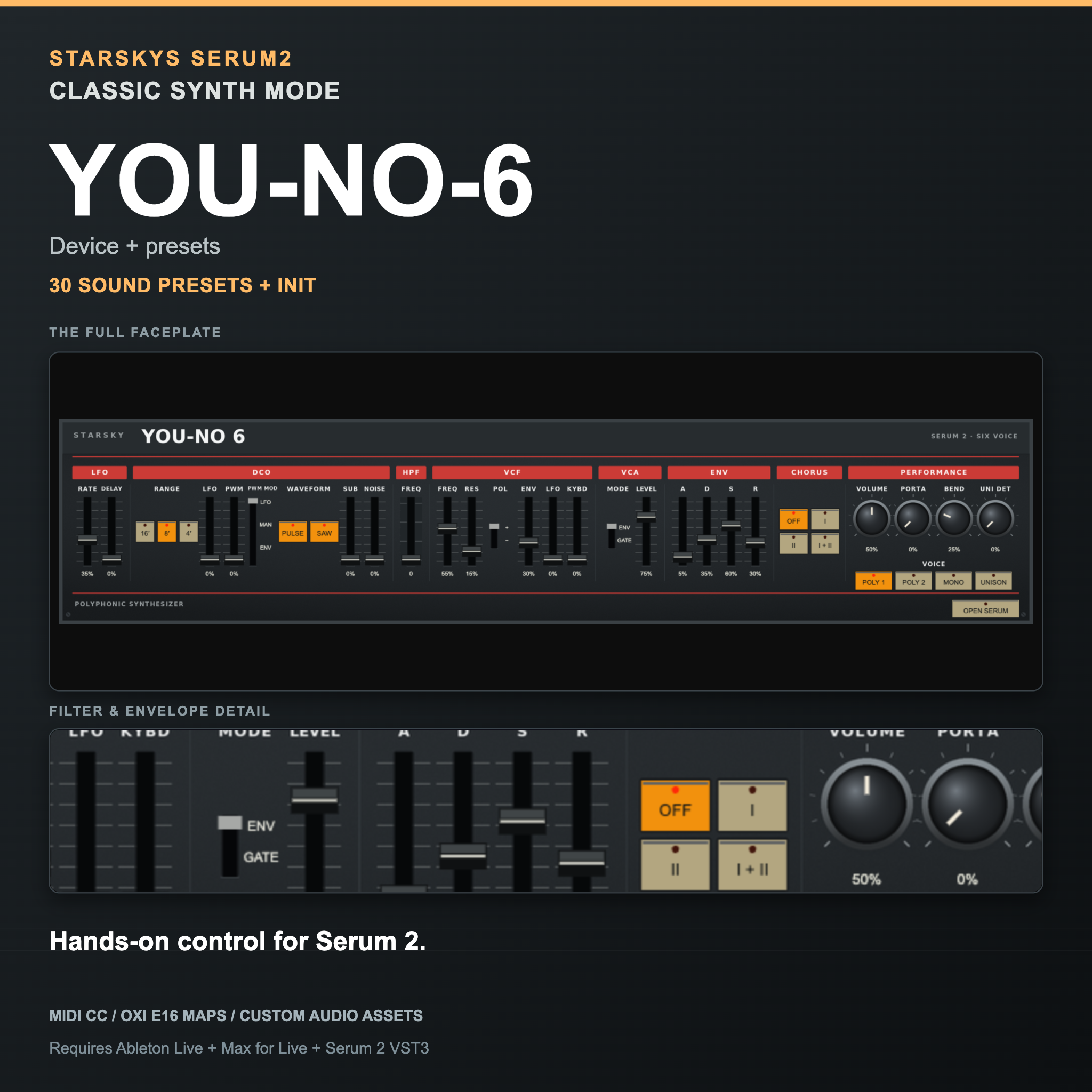
The Juno-106 is a synth you play with your hands, not your eyes. One row of sliders, one filter, one chorus switch, nothing to read and nowhere to get lost — which is why it still turns up on records forty years later. YOU-NO-6 puts that panel in front of you inside Ableton Live, with Serum 2 making the sound.
Everything is one movement away. No menus, no pages, no hunting for the control you want while the idea goes cold.
WHAT IT SOUNDS LIKE
One DCO with saw and pulse, PWM in all three modes, a sub oscillator and a noise source, then the four-position high-pass shelf that thins the bass out before the low-pass filter ever sees it — the trick behind most of the Juno sounds you already know. The chorus modes are here, and so is the slightly uneven envelope behaviour that makes Juno pads sit the way they do rather than sitting on top of the mix.
Reach for it when you want a pad that disappears into the track, a bass with rubber in it, an organ that fills the gap without drawing attention, or that hiss-and-sweep riser.
WHAT’S IN IT
The YOU-NO-6 Max for Live device, with a compact panel for the Live device chain and a full-size faceplate that opens in its own window.
30 sounds as Ableton .adv files, plus an Init patch for building from scratch — PWM pads, organs, the rubbery basses, brass, clavs and risers.
29 native Serum 2 presets, so the sounds come with you into any DAW, with no Ableton and no Max for Live.
The custom wavetable, the full MIDI CC allocation list, an optional OXI E16 scene and instrument map, an illustrated installation PDF and the licence.
HANDS-ON CONTROL
Every control answers to ordinary 7-bit MIDI CC with no MIDI Learn to set up first — plug a controller in and the panel moves. Standard allocations where they make sense: CC74 cutoff, CC71 resonance, CC7 volume, CC5 glide. Notes, pitch bend and sustain pass straight through.
REQUIREMENTS
Ableton Live 12 with Max for Live - either Live Suite, or Live Standard with the Max for Live add-on. Serum 2 installed and authorised as a VST3, with its factory content. Serum 1 will not work, and an AU-only Serum installation will not work. Ableton Live, Max for Live and Serum 2 are not included.
Built and tested with Live 12.4.2 and Serum 2.1.5.
These are instruments inside Ableton Live. They are not standalone plug-ins, and they are not skins that change Serum’s own interface.
The Juno-106 is a synth you play with your hands, not your eyes. One row of sliders, one filter, one chorus switch, nothing to read and nowhere to get lost — which is why it still turns up on records forty years later. YOU-NO-6 puts that panel in front of you inside Ableton Live, with Serum 2 making the sound.
Everything is one movement away. No menus, no pages, no hunting for the control you want while the idea goes cold.
WHAT IT SOUNDS LIKE
One DCO with saw and pulse, PWM in all three modes, a sub oscillator and a noise source, then the four-position high-pass shelf that thins the bass out before the low-pass filter ever sees it — the trick behind most of the Juno sounds you already know. The chorus modes are here, and so is the slightly uneven envelope behaviour that makes Juno pads sit the way they do rather than sitting on top of the mix.
Reach for it when you want a pad that disappears into the track, a bass with rubber in it, an organ that fills the gap without drawing attention, or that hiss-and-sweep riser.
WHAT’S IN IT
The YOU-NO-6 Max for Live device, with a compact panel for the Live device chain and a full-size faceplate that opens in its own window.
30 sounds as Ableton .adv files, plus an Init patch for building from scratch — PWM pads, organs, the rubbery basses, brass, clavs and risers.
29 native Serum 2 presets, so the sounds come with you into any DAW, with no Ableton and no Max for Live.
The custom wavetable, the full MIDI CC allocation list, an optional OXI E16 scene and instrument map, an illustrated installation PDF and the licence.
HANDS-ON CONTROL
Every control answers to ordinary 7-bit MIDI CC with no MIDI Learn to set up first — plug a controller in and the panel moves. Standard allocations where they make sense: CC74 cutoff, CC71 resonance, CC7 volume, CC5 glide. Notes, pitch bend and sustain pass straight through.
REQUIREMENTS
Ableton Live 12 with Max for Live - either Live Suite, or Live Standard with the Max for Live add-on. Serum 2 installed and authorised as a VST3, with its factory content. Serum 1 will not work, and an AU-only Serum installation will not work. Ableton Live, Max for Live and Serum 2 are not included.
Built and tested with Live 12.4.2 and Serum 2.1.5.
These are instruments inside Ableton Live. They are not standalone plug-ins, and they are not skins that change Serum’s own interface.